

Install the extension once
1
Copy the repository URL
https://unrealizex.com/blender/index.json. The Blender DCC page has a copy button.2
Add a remote repository
In Blender: Edit → Preferences → Get Extensions. Top right: Repositories → + → Add Remote Repository.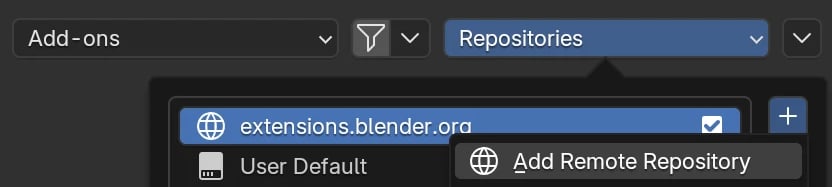
3
Paste the URL
Paste it into URL and click Create.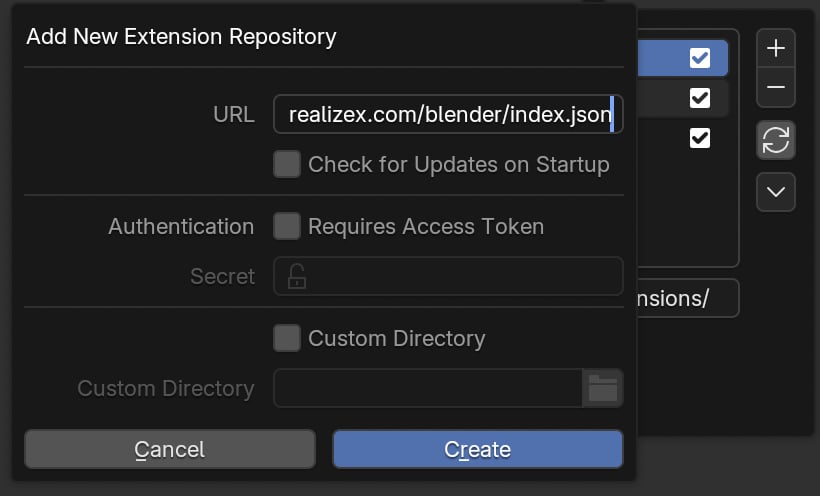
4
Install
Search unrealizex and click Install. Blender offers updates from then on.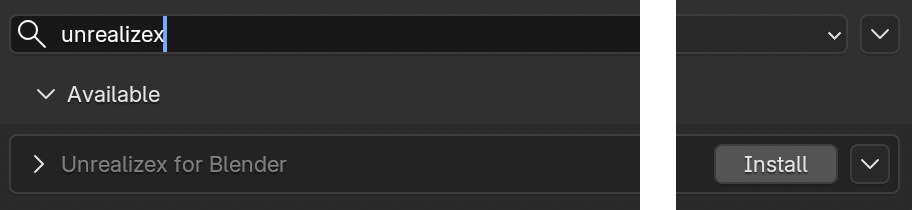
5
Sign in
In the 3D viewport press N, open the Unrealizex tab, and click Sign in with Unrealizex. Your browser opens; use your normal account.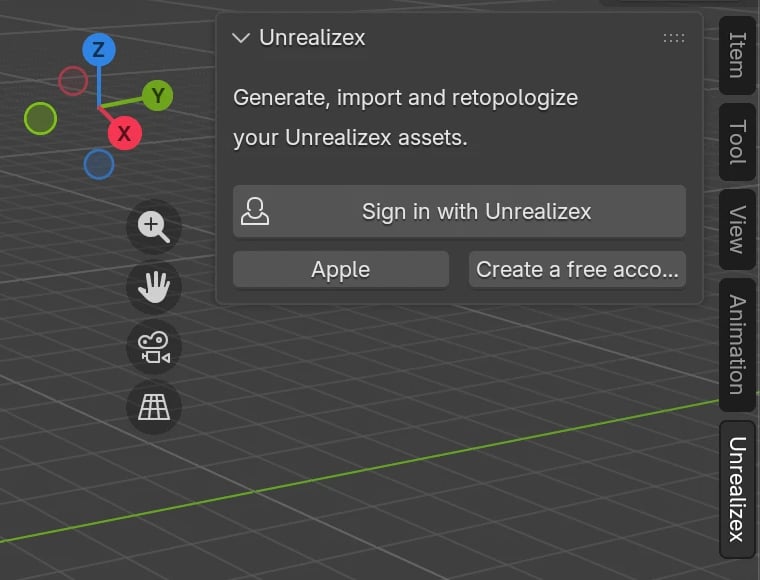
Send a model
With Blender open and signed in, hover a finished card in My spins and click Send to Blender. The model lands at the 3D cursor in your open scene, textures included, in a few seconds. In Space, the Export to Blender button does the same for the model you have open.Inside Blender you can also
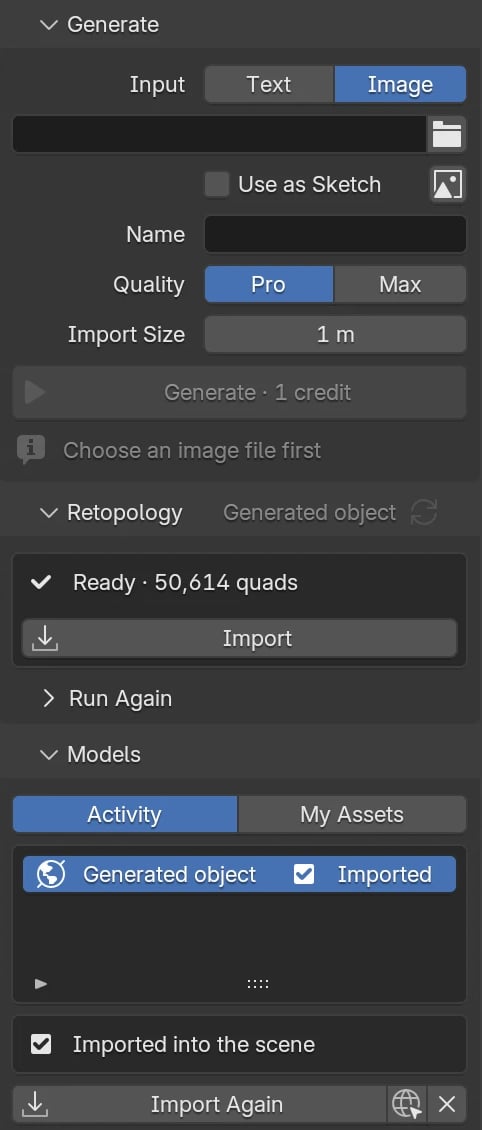
- Generate a model from a photo or a sketch. 1 credit. It imports at your 3D cursor when ready.
- Import anything from My Assets, everything you made on the website.
- Run Retopology on an imported model. The quad mesh with baked textures imports next to the original.
Nothing loads, or Sign in does nothing
Nothing loads, or Sign in does nothing
Preferences → System → Network → Allow Online Access must be on.
Windows firewall prompt at sign-in
Windows firewall prompt at sign-in
Allow it. Blender only listens on your own computer to finish the sign-in.
An error in the panel
An error in the panel
Click the copy icon next to Details and email it to support@unrealizex.com.