> ## Documentation Index
> Fetch the complete documentation index at: https://help.unrealizex.com/llms.txt
> Use this file to discover all available pages before exploring further.
# Download the GLB
> Get the model file onto your machine, or pick another format in Space
Every model is a `.glb`, the format Blender, Unity, Unreal, three.js and most viewers open directly. Textures are inside the file.
Click its card in **My spins**.
It is in the viewer's top row. Some files open in a new tab first, then save; that is your browser, not a broken download.
## Other formats
Space's **Download** menu offers more, each with a one-line note about what it is for.
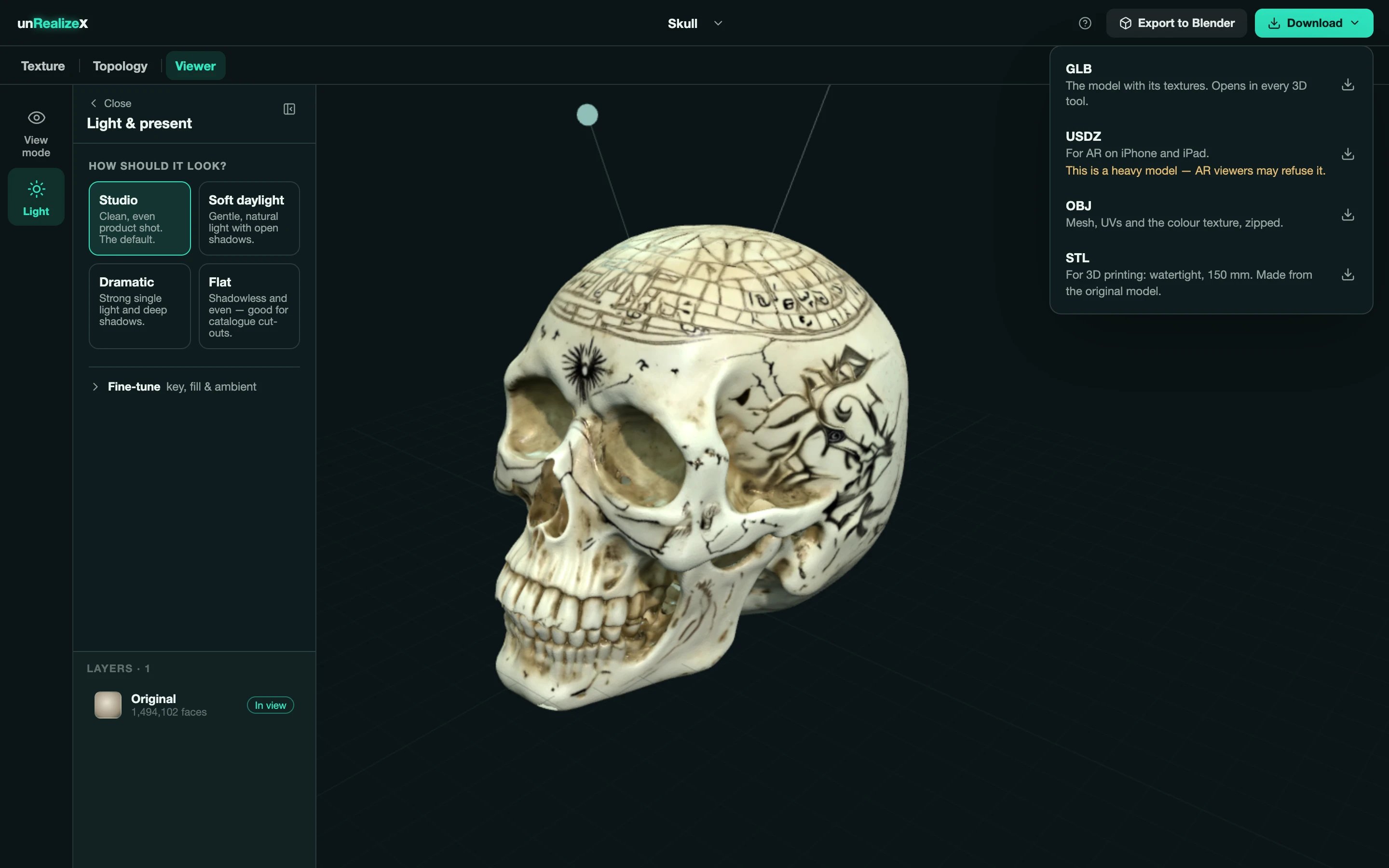 | Format | What you get |
| -------- | -------------------------------------------------------------------------------------------------------------- |
| **GLB** | The model with its textures. Opens in every 3D tool. |
| **USDZ** | For AR on iPhone and iPad. Very heavy models may be refused by AR viewers. |
| **OBJ** | Mesh, UVs and the colour texture, zipped. |
| **STL** | For 3D printing: watertight, 150 mm, made from the original model. See [Print export](/view/print-export-stl). |
The version you have in view. Each tool in Space saves a new version and keeps your Original, so switch to the one you want first.
Not from the website. Open the GLB in Blender and export to any format from there, or use [Send to Blender](/view/send-to-blender) to skip the download entirely.
| Format | What you get |
| -------- | -------------------------------------------------------------------------------------------------------------- |
| **GLB** | The model with its textures. Opens in every 3D tool. |
| **USDZ** | For AR on iPhone and iPad. Very heavy models may be refused by AR viewers. |
| **OBJ** | Mesh, UVs and the colour texture, zipped. |
| **STL** | For 3D printing: watertight, 150 mm, made from the original model. See [Print export](/view/print-export-stl). |
The version you have in view. Each tool in Space saves a new version and keeps your Original, so switch to the one you want first.
Not from the website. Open the GLB in Blender and export to any format from there, or use [Send to Blender](/view/send-to-blender) to skip the download entirely.