> ## Documentation Index
> Fetch the complete documentation index at: https://help.unrealizex.com/llms.txt
> Use this file to discover all available pages before exploring further.
# While it processes
> What the progress card shows, how long things take, and what the card states mean
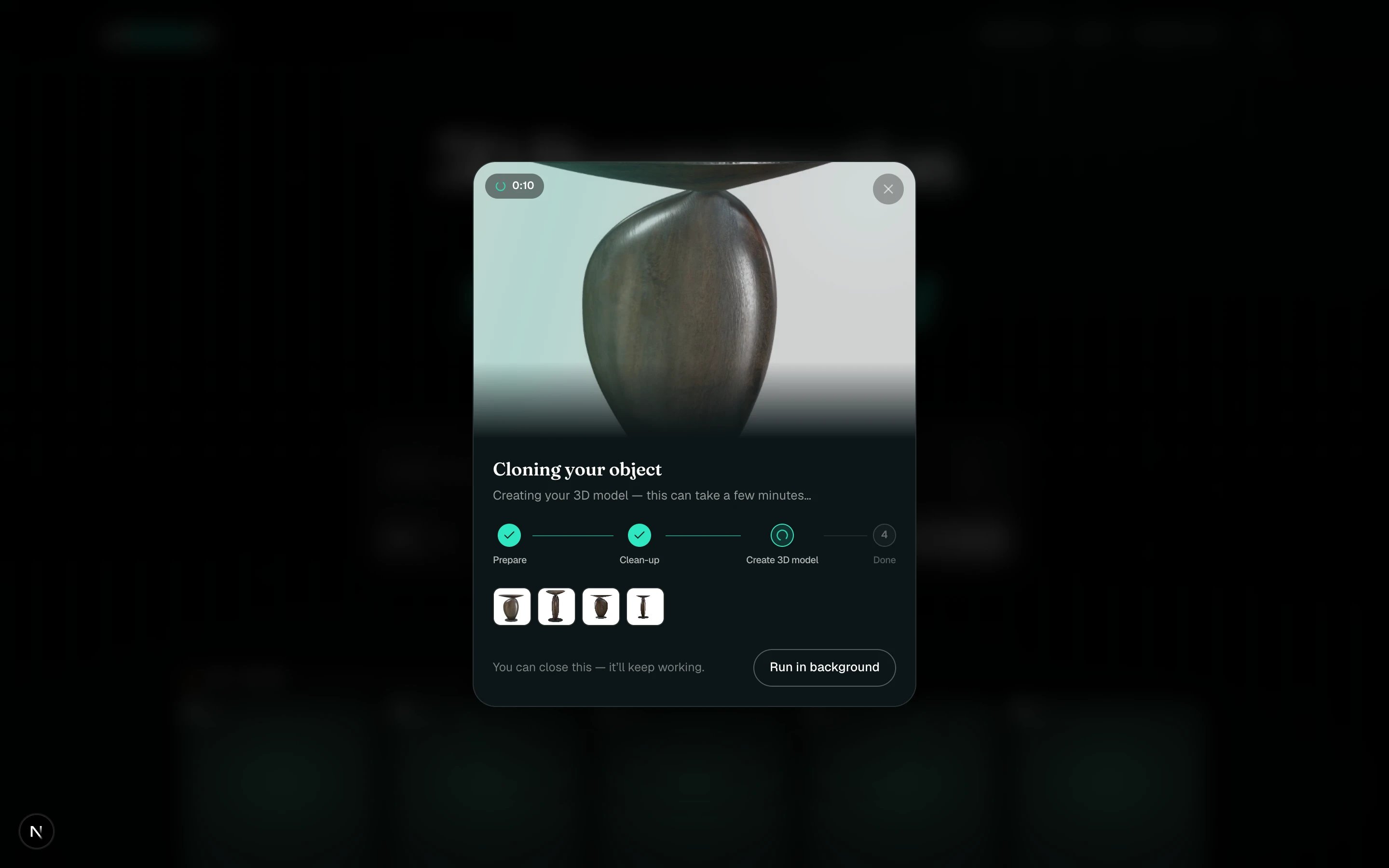 Every run opens a progress card with a timer, the phases, and your inputs underneath. **You can close it, it keeps working.** The card in My spins keeps updating, and you can open the progress card again by clicking it.
## The phases
| Engine | Phases |
| ------------------------------------ | -------------------------------------------------- |
| **Clone** | Prepare · Clean-up · Create 3D model · Done |
| **One-shot** from a prompt or sketch | Prepare · Concept art · Build 3D model · Done |
| **One-shot** from an image | Prepare · Build 3D model · Done |
| **Face** | Prepare · Analyze · Mesh · Texture · Refine · Done |
The last building phase is the long one. A One-shot, a Face and a Fast clone usually finish in a few minutes; a Max clone often takes 20 to 30 minutes.
## Card states
* **Processing**, with the current phase under it: still working.
* **3D**: finished. Click to open the viewer.
* **Not accepted**: the input was declined before any work started. Credits are returned. See [When an input is not accepted](/create/not-accepted).
* **Failed · Couldn't finish**: something went wrong while building. Credits are returned. See [A job failed or looks stuck](/troubleshooting/job-failed-or-stuck).
Every run opens a progress card with a timer, the phases, and your inputs underneath. **You can close it, it keeps working.** The card in My spins keeps updating, and you can open the progress card again by clicking it.
## The phases
| Engine | Phases |
| ------------------------------------ | -------------------------------------------------- |
| **Clone** | Prepare · Clean-up · Create 3D model · Done |
| **One-shot** from a prompt or sketch | Prepare · Concept art · Build 3D model · Done |
| **One-shot** from an image | Prepare · Build 3D model · Done |
| **Face** | Prepare · Analyze · Mesh · Texture · Refine · Done |
The last building phase is the long one. A One-shot, a Face and a Fast clone usually finish in a few minutes; a Max clone often takes 20 to 30 minutes.
## Card states
* **Processing**, with the current phase under it: still working.
* **3D**: finished. Click to open the viewer.
* **Not accepted**: the input was declined before any work started. Credits are returned. See [When an input is not accepted](/create/not-accepted).
* **Failed · Couldn't finish**: something went wrong while building. Credits are returned. See [A job failed or looks stuck](/troubleshooting/job-failed-or-stuck).
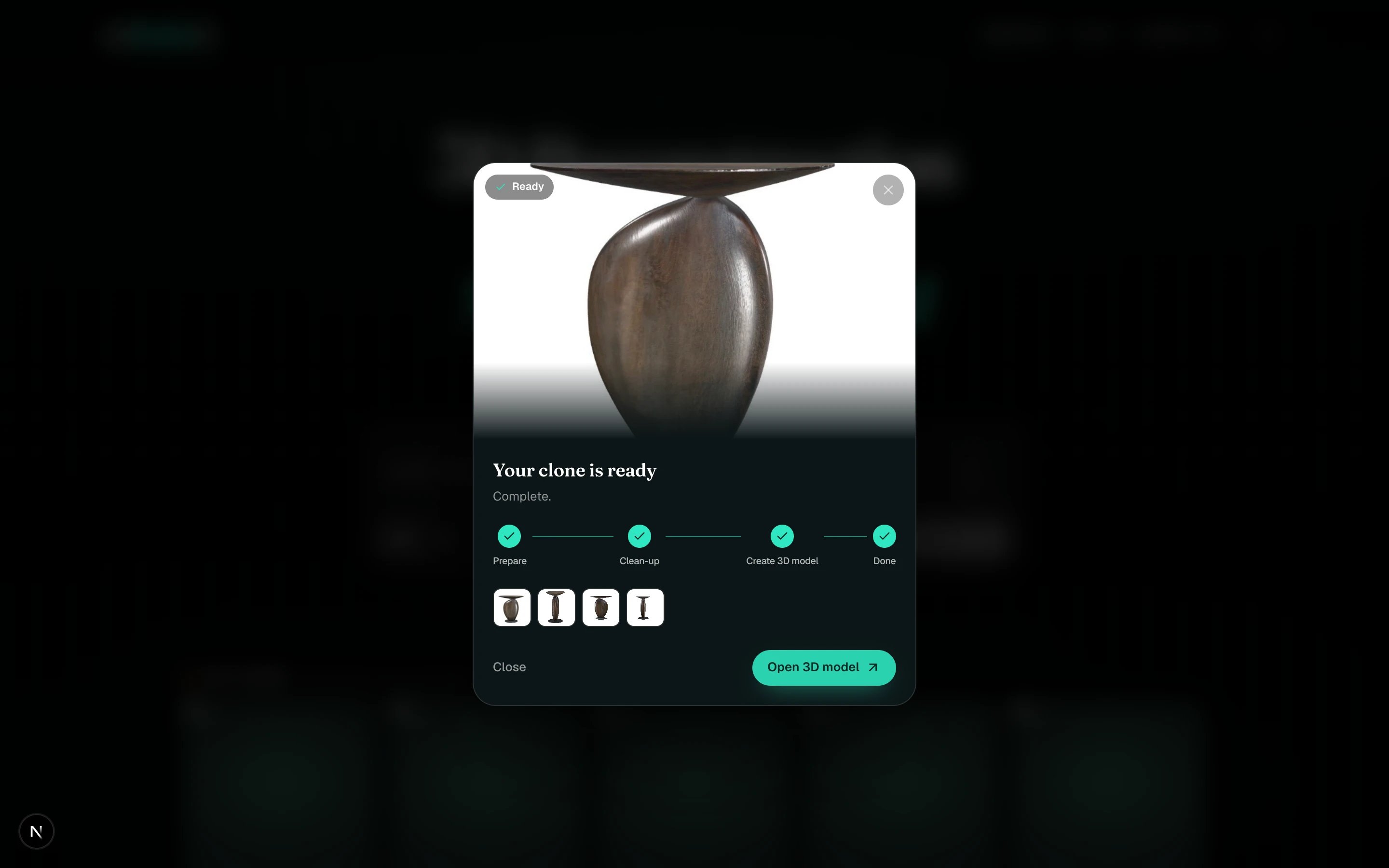 Use the wait. Rename the card, add it to a folder, or start the next one. Several jobs can run at once.