> ## Documentation Index
> Fetch the complete documentation index at: https://help.unrealizex.com/llms.txt
> Use this file to discover all available pages before exploring further.
# Photo best practices
> How to shoot an object so Clone gets it right the first time
Clone is faithful to your photos. Good photos are the whole job.
## One object, several angles
Shoot the same object from around it: front, both sides, back, and one from above. Keep the object roughly the same size in every frame. Between three and six angles is the sweet spot. Do not mix objects, and do not move parts of the object between shots.
## Sharp and evenly lit
Hold still, tap to focus on the object, and avoid dim rooms. Daylight from a window or a plain overhead light is enough. Avoid hard shadows across the object, and avoid flash, it flattens detail and adds glare.
## Confirm the subject
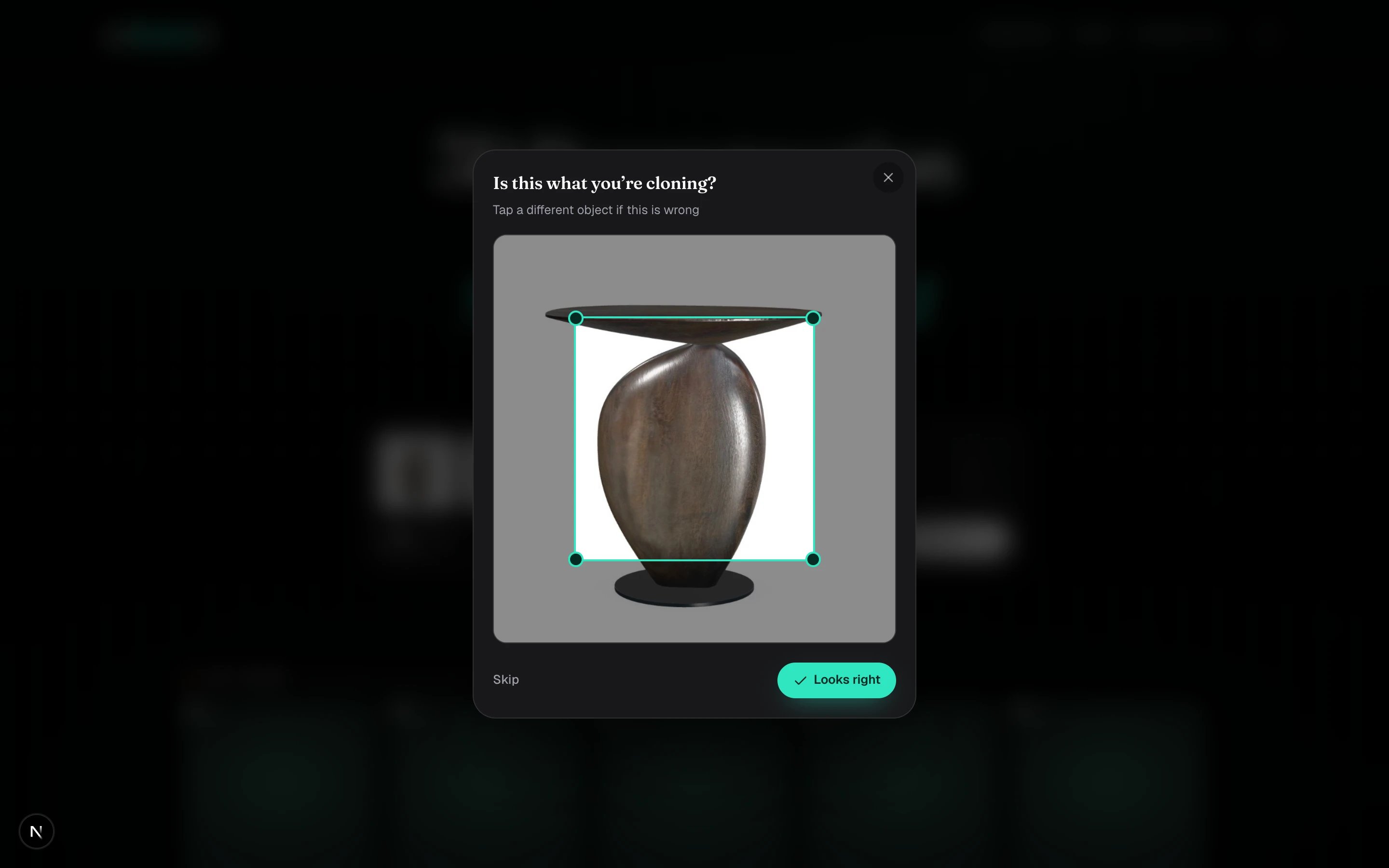
After you click **Clone it**, a box is drawn around what looks like the object in your first photo. If the box is on the right thing, click **Looks right**. If it grabbed the table or a second object, tap the one you mean.
 ## What gets declined
The photos are checked before any work starts, and declined uploads cost nothing:
* **Sketches, drawings, renders, screenshots.** Clone needs photos of a real object. Use One-shot's **Sketch** or **Image** input instead.
* **Blurry photos.** Retake with a steady hand and better light.
* **Different objects across the set.** Every photo must show the same single thing.
* **Photos that can't be read.** Odd formats, corrupt files, or an image with nothing recognisable in it.
Shooting a small object? Put it on a plain surface, step back, and zoom slightly instead of getting the lens very close. Close-ups distort the shape.
## What gets declined
The photos are checked before any work starts, and declined uploads cost nothing:
* **Sketches, drawings, renders, screenshots.** Clone needs photos of a real object. Use One-shot's **Sketch** or **Image** input instead.
* **Blurry photos.** Retake with a steady hand and better light.
* **Different objects across the set.** Every photo must show the same single thing.
* **Photos that can't be read.** Odd formats, corrupt files, or an image with nothing recognisable in it.
Shooting a small object? Put it on a plain surface, step back, and zoom slightly instead of getting the lens very close. Close-ups distort the shape.